Sending Data to Self-Hosted Traccar via OsmAnd Protocol/API for Custom Application
- Sappoham
- Iot , Selfhosted
- April 27, 2024
Traccar is an open-source GPS tracking system that supports more than 170 GPS protocols. It provides various features such as real-time tracking, history of locations, geofencing, and reports. Traccar can be self-hosted, meaning you can have your own server running the Traccar software, giving you full control over your data.
Traccar was originally designed to provide GPS tracking for various types of devices, including personal trackers and car tracking devices. Over time, it has evolved to support many different protocols and devices. One of these protocols is the OsmAnd protocol.
OsmAnd Protocol
The OsmAnd protocol , originally used by the OsmAnd mobile app, has been adopted and extended by Traccar Client apps. This protocol processes HTTP requests with either query parameters or POST parameters.
The standard configuration utilizes port 5055 for transmitting data to the Traccar server via the OsmAnd protocol.
Creating a Device in Traccar Application
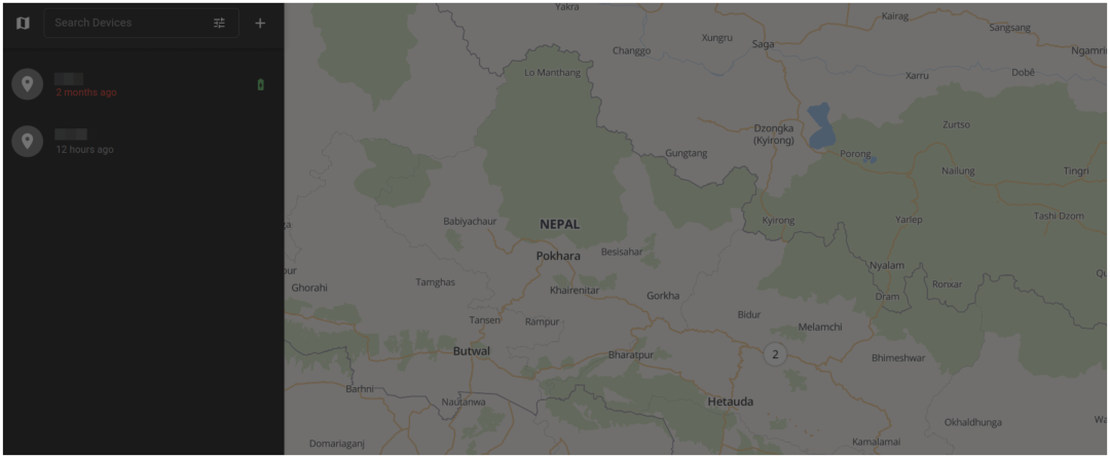
Before sending data to Traccar, it’s important to create a device first in the Traccar UI. To do this, click the add button (the plus icon) in the devices toolbar. You have to fill out the name and identifier fields. The identifier has to match the unique id your device is reporting to the server.
Sending Data to Traccar Server
Here’s a basic curl command to send data to the self-hosted Traccar server using the OsmAnd protocol:
curl -X GET "http://your_traccar_server:5055/?id=12345&lat=48.8566&lon=2.3522×tamp=1609459200000&speed=15&bearing=270&altitude=35&accuracy=10&batt=75"
Similarly for python:
import requests

# Define the device parameters
device_params = {
    "id": 12345, # The unique ID that was assigned to the device earlier.
    "lat": 48.8566,
    "lon": 2.3522,
    "timestamp": 1609459200000,
    "speed": 15,
    "bearing": 270,
    "altitude": 35,
    "accuracy": 10,
    "batt": 75
}

traccar_url = "http://your_traccar_server:5055"

response = requests.get(traccar_url, params=device_params)

print(response.text)
This script sends a GET request to the Traccar server with the device parameters as query parameters. The requests.get() function sends the GET request, and the params argument includes the query parameters.
Please replace "http://your_traccar_server:5055" with your actual Traccar server URL. The device_params dictionary should be updated with the actual data from your device.
Remember to handle exceptions and errors appropriately in your production code. This is a basic example and does not include error handling. Also, ensure that your Traccar server is correctly set up to receive and process these requests.
Conclusion
Traccar, with its support for various protocols including OsmAnd, provides a robust platform for GPS tracking. By self-hosting Traccar and using the OsmAnd protocol, you can have full control over your tracking data. The Python code snippet provided in this post offers a simple way to send data to your Traccar server. With some modifications and proper error handling, it can be a good starting point for building a custom application.